~/find an active directory user's ou with powershell
Quickly see which organisational unit a user account is in, search by name when you don't know the username, and list everyone in an OU.
Updated November 2026. The original one-liner still works. I’ve added ways to show just the OU and to search when you only know part of a name.
Active Directory Users and Computers can find a user, but it doesn’t make it obvious which OU they’re in. PowerShell does (it needs the Active Directory module, part of RSAT).
By username
Get-ADUser jbloggs | Select-Object Name, DistinguishedName
The distinguished name shows the full path, for example CN=Joe Bloggs,OU=Users,OU=London,DC=contoso,DC=com.
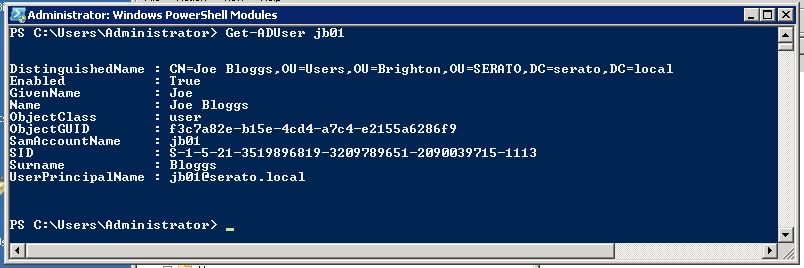
To show just the OU part:
(Get-ADUser jbloggs).DistinguishedName -replace '^CN=.+?(?<!\\),', ''
Or the more readable canonical name:
Get-ADUser jbloggs -Properties CanonicalName | Select-Object Name, CanonicalName
When you don’t know the username
Get-ADUser -Filter "Surname -like 'Blogg*'" | Select-Object Name, SamAccountName, DistinguishedName
Get-ADUser -Filter "Name -like '*Joe*'"     | Select-Object Name, SamAccountName, DistinguishedName
Everyone in an OU
Get-ADUser -Filter * -SearchBase "OU=Users,OU=London,DC=contoso,DC=com" -SearchScope OneLevel |
    Select-Object Name, SamAccountName
Leave out -SearchScope OneLevel to include sub-OUs.
Entra ID
Cloud-only Entra ID users don’t have OUs. The nearest equivalent is administrative units, which you can check in the Entra admin centre under the user’s Administrative units tab.