~/event 12 time-service and the pdc emulator role
Moved the PDC Emulator and now see Event 12 or 129 from Time-Service? Point the new PDC at a reliable external time source and put the old one back on the domain hierarchy.
Updated November 2026. The fix is unchanged on current Windows Server versions. I’ve corrected the NTP pool address, switched to PowerShell where it’s simpler, and added a note on virtualised domain controllers.
The problem
After moving the PDC Emulator FSMO role to a new domain controller, you’ll see this in the System event log:
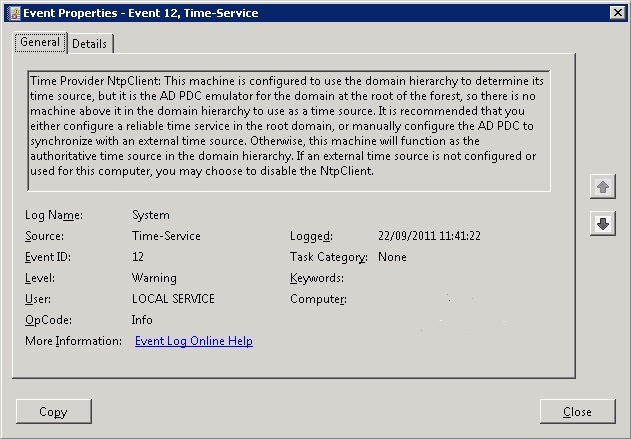
Event ID 12, Source: Time-Service
Time Provider NtpClient: This machine is configured to use the domain hierarchy to determine its time source, but it is the AD PDC emulator for the domain at the root of the forest, so there is no machine above it in the domain hierarchy to use as a time source.
The PDC Emulator in the forest root domain is the authoritative time source for the whole forest. The new one is still set to take its time from the domain hierarchy, so there’s nothing above it to sync with. It needs pointing at a reliable external source, and the old PDC needs putting back on the domain hierarchy.
Step 1: point the new PDC Emulator at an external source
On the new PDC Emulator:
w32tm /config /manualpeerlist:"0.uk.pool.ntp.org,0x8 1.uk.pool.ntp.org,0x8 2.uk.pool.ntp.org,0x8" /syncfromflags:manual /reliable:yes /update
Restart-Service w32time
w32tm /resync
The NTP Pool Project provides free time servers by region; use the zone for your country, or your own internal or ISP time source. The 0x8 flag tells Windows to act as a normal NTP client.
Step 2: put the old PDC Emulator back on the domain hierarchy
On the old PDC Emulator:
w32tm /config /syncfromflags:domhier /reliable:no /update
Restart-Service w32time
Event 129 on other domain controllers
Other DCs may then log Event 129 (“NtpClient was unable to set a domain peer to use as a time source because of discovery error”), because they’re still looking for the old PDC. Fix it on each one with:
w32tm /resync /rediscover
Check it worked
w32tm /query /source
w32tm /query /status
w32tm /monitor
/source shows where a machine gets its time. On the PDC it should be your external servers, and on other DCs another domain controller. /monitor shows every DC and its offset from the PDC.
Virtualised domain controllers
If the PDC Emulator is a virtual machine, make sure it isn’t also taking time from the host. On Hyper-V, untick Time synchronization in the VM’s Integration Services; on VMware, turn off periodic time sync in VMware Tools. Two time sources fighting each other is a classic cause of clock drift and Kerberos errors.